Free design tools

Free design tools for color, typography, CSS and layout Use these free tools to design faster, make better decisions, and generate ready-to-use CSS, color codes and layouts. Color Generator Generate strong color palettes for branding, web design and social media. → Open tool Convert Colors Convert HEX, RGB and HSL into usable color codes instantly. […]
Illustrator course in the Netherlands

Illustrator is another powerful program in the Adobe suite, giving users the ability to make fabulous digital art, infographics, and logos. If you’re serious about a career in marketing, media, or design, this Adobe Illustrator course could put you one step ahead of the competition! learn to make vector art
choose for an illustrator course
When used correctly, Illustrator gives users the power to create incredible vector art. This makes it perfect for graphic designers who want to create everything from website thumbnails to huge billboard advertisements, all without sacrificing quality. Illustrator is a designer’s best friend and ideal for creating a diverse array of branding, social media, and marketing materials. You can create everything from icons to fonts to logo’s. But one must learn how to use it first!
Art and the City offers Illustrator courses to both beginner and advanced students. This means that you can enroll even if you have no prior experience with the program. Likewise, if you’ve already mastered the basics, you can choose the advanced course instead, where you’ll learn how to design your own icons and create beautiful patterns.
The experts who teach the course work with Illustrator every day, which makes the lessons ideal for anyone seeking a career in graphic design, marketing, or media. Before the course you’ll receive a carefully composed syllabus – a handy reference book in which the theory, technique and home assignments are described in detail.
UI/UX Designer Course

Want to design a beautiful app or website that is also user-friendly? That is what you will learn in this programme, which prepares you in 6 weeks to get started as a UI/UX designer. The first module starts with designing your site in Adobe Xd. This programme is perfect for sketching an interactive prototype.
During a private course, you will be paired with the teacher who suits you best! The course material consists of theoretical explanations, technical applications and home assignments that you handle and discuss with your tutor. A full 6 week introductory course for € €1152,- excl. VAT. Start whenever you and one of our personal tutors are available.
GRAPHIC DESIGN COURSE

Graphic design courses beginnerscourse Learn to Design Like a Pro – Even if You’re Just Starting Out You have an eye for visuals. Maybe you’ve dabbled with Canva or helped make a flyer for a friend or colleague. But deep down, you feel there’s more you could do. You want to truly learn how to […]
Photoshop Course in the Netherlands
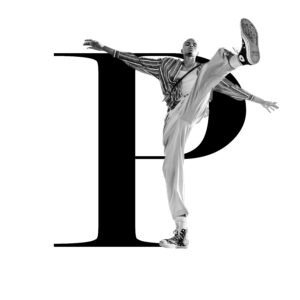
Photoshop Course in the Netherlands Good Photoshop skills are some of the most useful and attractive traits for anyone working in media, marketing or design. So whether you’re a keen photographer, a social media executive, or a budding graphic designer, this Photoshop course is an absolute must. Prepare to elevate your images to new heights.
Indesign course in the Netherlands

indesign course
Adobe InDesign is an instrumental program for designers, artists, social media executives, or anyone who works in media. When used correctly, it can create visually stunning marketing materials and print-ready publications such as brochures and magazines. For this reason, this InDesign course is perfect for anyone seeking a career in graphic design, media, journalism, marketing, or advertising.
create beautiful layouts
why choose an indesign course?
Graphic designers, artists, and media executives swear by InDesign because of the program’s enormous array of functionalities. The program can take images from Photoshop, designs from Illustrator, and tables from Excel, and consolidate each element into one beautifully formatted end result.
Designers can use InDesign to create all kinds of documents for publication, print and digital media, including, but not limited to, posters, books, magazines and ebooks. This means it is an extremely useful tool for anyone whose profession involves graphic design. InDesign works best in combination with other CC applications, and it is the most widely used program in the suite. In short, this course will look incredible on your resume, and will put you one step ahead of the competition!
The experts who teach the course work with Illustrator every day, which makes the lessons ideal for anyone seeking a career in graphic design, marketing, or media. Before the course you’ll receive a carefully composed syllabus – a handy reference book in which the theory, technique and home assignments are described in detail.
UI/UX Designer course
UI/UX Designer course The internet needs designers! During the UI/UX Designer course, you will learn to design in Adobe XD and turn this design into a beautifully designed website or app. UI/UX Designer training UI/UX designer private training in 6 weeks Want to design a beautiful app or website that is also user-friendly? That is […]
Photoshop Course in the Netherlands
Photoshop Course in the Netherlands Good Photoshop skills are some of the most useful and attractive traits for anyone working in media, marketing or design. So whether you’re a keen photographer, a social media executive, or a budding graphic designer, this Photoshop course is an absolute must. Prepare to elevate your images to new heights.
Find Your Creative Direction
Find Your Creative Direction Not sure about your style or focus? No stress. With a few targeted steps you’ll gain clarity fast. Follow the exercises below and then put them to work right away. Step 1 — Collect and cut Pick 10 visuals that move you (color, type, form). Cut to 5. Then write […]
Indesign Course Amsterdam (or Online)
InDesign Course in Amsterdam (or Online) Want clean, professional layouts? In this InDesign course you learn—step by step—how to build flyers, brochures, and magazines. We keep it practical. Then you apply each concept in short tasks. That way you make fast, confident progress. What you will learn Set up documents: margins, bleed, and master pages. […]